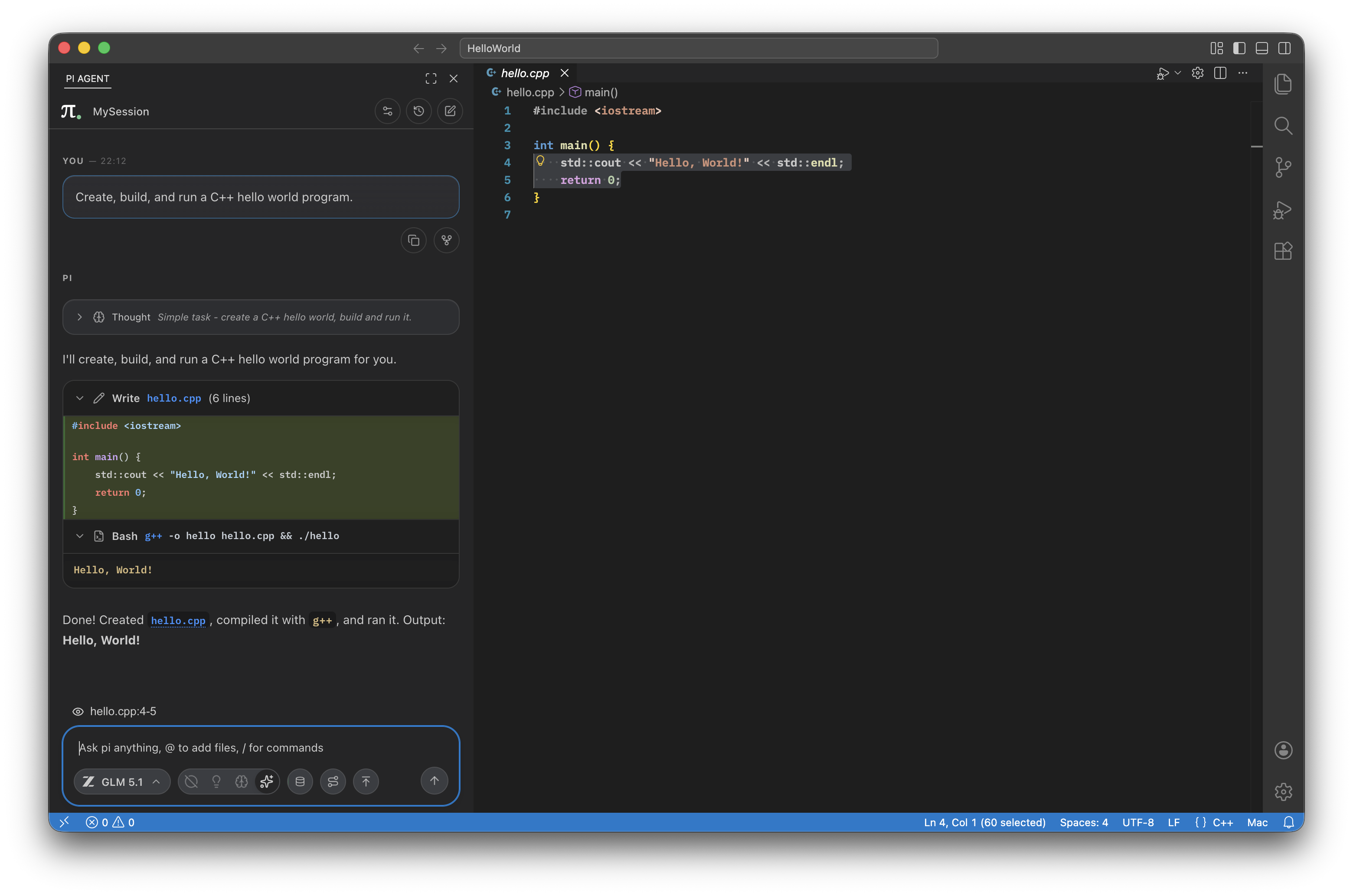





This is a sidebar extension that launches your installed pi binary in RPC mode and turns it into a VS Code-native chat workflow. It adds streaming transcript rendering, tool output UI, session restore/history, model switching, and file context-aware prompts.
All while staying lightweight and true to pi's minimalism-focused philosophy.
Tested on macOS, Linux, and Windows.
- Sidebar chat built for long-running coding sessions
- Streaming markdown answers with syntax highlighting
- Rich tool rendering for read, write, edit, bash, images, and subagents
- Including interactive Mermaid diagrams
- Message queuing and steering
- Supports your pi prompts and skills, e.g. "/commit"
- Session manager with search, rename, delete, and forking
@file and folder mentions from the current workspace- Easy-to-use model selector and thinking-level controls
- Context window tracking and manual compaction
- Smart merging of tool blocks
- VS Code or VSCodium
- A local
piinstallation available onPATHorpi.binaryPathsetting - A configured pi agent directory with at least one provider/model in
models.json
If you don't have pi installed, the extension can install it for you using npm. This requires you to have npm installed and available in your environment.
It can also create a basic auth.json file, but having a preconfigured pi installation is preferred. The onboarding process of the extension is a work-in-progress.
- Install pi:
npm install -g @mariozechner/pi-coding-agent - Install this extension.
- Configure pi to your liking.
- Open the
PI AGENTview in the activity bar and start a chat.
- This is a prerelease version, please report any feedback and issues to help improve it!
- The extension is a UI layer built on top of pi. Live pi state remains the source of truth.
- Make sure
piis installed and available on your shellPATH. - If it is installed somewhere custom, set
pi.binaryPathto the absolute path. - If the extension reports an incompatible version, update your local
piinstall first.
- Check
pi.agentDir. The extension uses the resolved agent directory for both runtime startup and session-history file access. - If you switch agent directories, restart the extension host or run the pi restart action so the running process and file-backed history stay aligned.
- Confirm your pi agent directory contains a valid
models.json. - Make sure your provider configuration and API keys are set where pi expects them.
- Re-check the provider credentials stored in your pi config or VS Code-backed secrets.
- After updating a key, restart pi from the extension so the spawned process picks up the new environment.
Unofficial extension. This project is community-built and is not affiliated with or endorsed by the pi agent project.
